
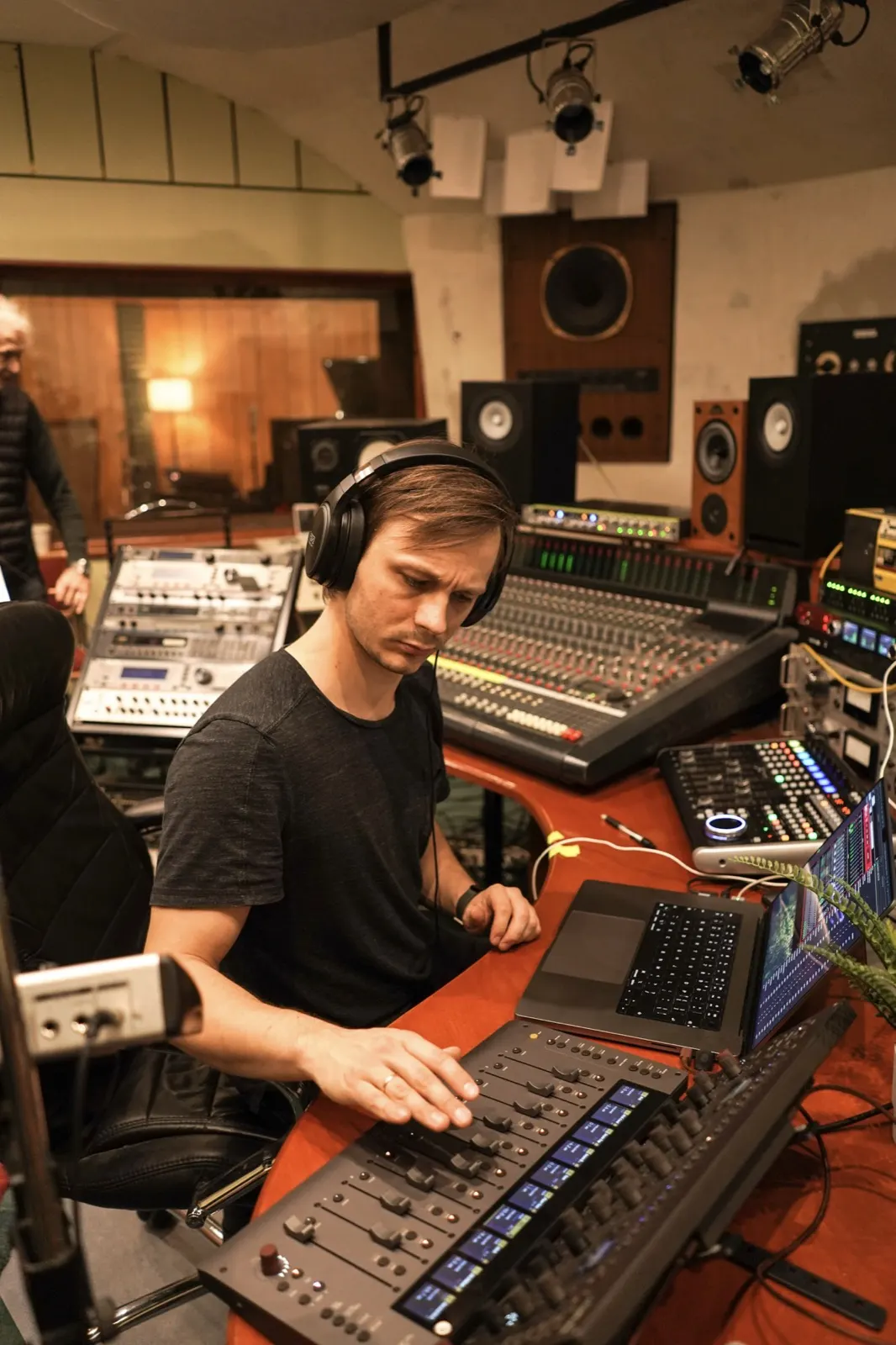
MixSurface started as a remote for my stage effects. One page on an iPad with the decay times of my FOH reverbs and a few other things I touch during a show. Today it’s a REAPER remote for phones and tablets on the App Store and Google Play.
I looked for a tablet controller for years
I’ve been chasing this for a long time. In 2015, for my Sound Engineering bachelor’s degree, I built a wireless REAPER controller: Pure Data, a radio receiver, and remote knobs and pots. After that came years of REAPER forum threads, trying to make everything from an Allen & Heath QU-24 to Lemur on an iPhone work as a remote.
Then TouchOSC, the first version and the second. I downloaded some templates and got one mixer template working. It had an EQ view too, and it looked good, but it wasn’t really usable. More gimmick than tool. To build one that worked for me, I had to jump back and forth between the OSC address and how the control looks, and that back and forth was not good. I couldn’t get track colours to work. And every time my network changed I had to go and find the connection again. That was the most annoying part. Lemur, which I had used before, was the same story.
I also tried OSC apps with LiveProfessor as the plugin host, same outcome. I set up a MIDI Fighter Twister with LiveProfessor. It worked, but the Twister has no display, so it was hard to know which knob was which. Retired that as well. At one point I tried Mackie emulations on a tablet. They all kind of worked, but it was too much hassle to make any of them part of a workflow I would actually use.
Hardware was its own story. I used a Behringer X-Touch with CSI. I also have the full Console 1 MK3 set, and Console 1 is beautiful, I love it. But I move a lot, so I can’t always have it with me, and projects I started with Console 1 were annoying to work on without it. The Console 1 plugin without the hardware is a pain to operate. So it started gathering dust too.
I even switched to another DAW for a while because of its tablet controller. I like REAPER too much, so that didn’t last.
The gig day it didn’t work
I remember once I set up a basic reverb decay template in TouchOSC. On the gig day I’m waiting for the band, getting the desk ready, doing the PA calibration and all the other stuff. I don’t have time to troubleshoot an OSC connection. It never worked.
The first version: one page for my FOH effects
My live setup is REAPER beside the console as the effects rack. I run it either over Dante through my Digiface Dante, or over direct USB on desks that have it. My reverbs and my mixbus processing live in REAPER. I used to carry a hardware mixbus, a 500-series rack with a Wes Audio tube compressor and a Pultec-style EQ, plus a Newton channel strip for lead vocals. Lately I get the same enhancement from my mixing chain in REAPER.
The idea was small. I wanted the decay times, and a few other things, for all my effects on one screen. That first screen is what’s now Control View. It was a very rough version. If I remember right, there was a Python middleware running on my laptop that talked to REAPER.
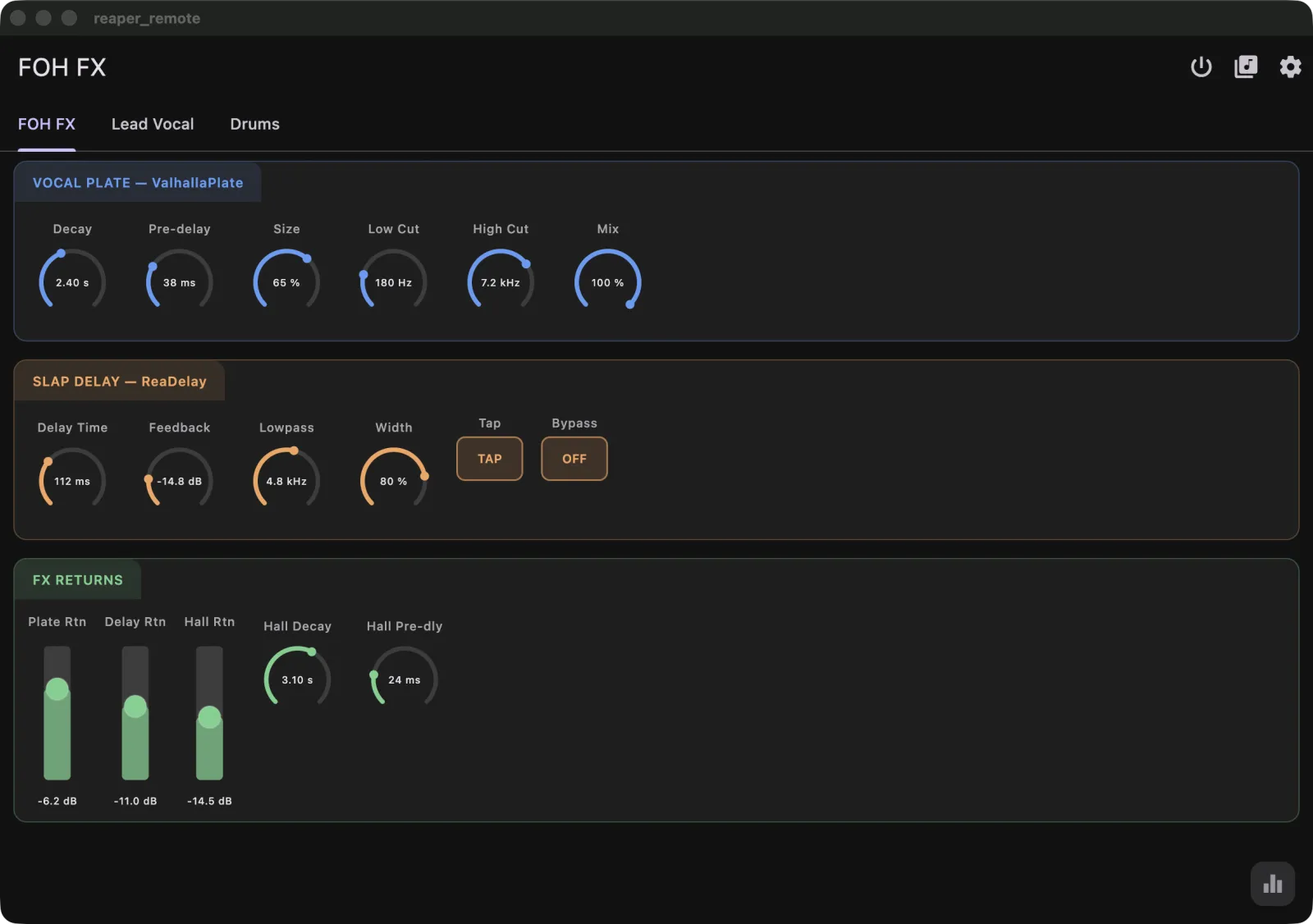 Where it started: the app was still called Reaper Remote. Rebuilt from the April 2026 code, with demo values.
Then I had my first gig with it, in March with the Latvian Blues Band, and it worked brilliantly.
If you want to build that kind of page yourself, the Control View guide walks through it.
Then the faders, and a lot of hours on how they feel
On the wave of that, I thought: what if I add faders. I just wanted to ride some tracks when I’m in the studio. So slowly I worked on that. I made a proper design system, worked on the protocols, and wrote the REAPER extension in Rust, so now it’s one extension inside REAPER with no middleware on the computer.
A lot of hours went into the feel of the fader, getting it to how I like it. Mixing Station has been a big source of inspiration here, and I borrowed ideas from it, like Fine mode. Fine mode slows the fader down so you can make really fine movements.
A Control View for every plugin
While polishing Control View, I looked at Logic Remote. It has plugin controls, and you can add plugins directly from the device. I thought the plugin control part could be done better, so I sat down and tried to figure out how plugins should work on a surface.
What I realised was that I just needed a Control View, my first screen, per plugin. Then add a good plugin picker with favourites and tags. And then all the REAPER bells and whistles: delta solo, containers, bypass and offline states, and a generic screen for plugins without a template. This way anyone can have a quick go at any plugin. But in reality, to make a plugin properly usable, you kind of have to build a custom layout for the ones you use most. The plugin templates guide shows how.
EQ you can grab
One thing I realised along the way: parametric EQ on just knobs is, well, okay. I got used to mixing FOH on tablets, because a lot of the time the mix position is not where you want it, so you go out into the audience with your tablet. With Mixing Station I got really quick on EQ that way. You grab a band, pinch for Q. That was big for me.
I wanted to improve on it, so I added three-finger touches to lock direction. Many times I’m sweeping for a frequency and then I want to stay there. Rest three fingers and drag, and the move locks to the axis you went along first, so you can change gain without the frequency drifting, or the other way round.
Then I went kind of crazy mapping all of DMG EQuilibrium’s curves so they show correctly in MixSurface. (Not doing that again, looking at you, Kirchhoff-EQ.) I mapped MDWEQ, which I love, and Crave EQ, and FabFilter, because everyone uses Pro-Q. Only then did I add ReaEQ, and that had its own can of worms. REAPER’s own plugins work differently underneath, and ReaEQ’s bands are dynamic. I spent weeks on that one. The current list is in the EQ docs, and it’s a growing set, not every EQ.
Track setup from the live room
At that point I had the initial idea of MixSurface in my mind. I added automation modes and the channel strip settings, like choosing a different input.
Then track setup, because I wanted to set up my drum tracks from the live room. I can go in, set up the mic, pick up the iPad, add a track, choose the input, set the monitoring mode and see if there’s any signal coming in. There’s no phantom power or preamp gain, I know, but that’s a different thing.
Where it is now
MixSurface 1.0 has been on the App Store and Google Play since October 2026, for phones and tablets on iOS and Android. The REAPER extension is free, for Mac and Windows, with Linux in beta. The mixer, layers and Sends on Fader are free. Channel Detail, the EQ surface and Control View come with a one-time unlock, no subscription.
In the current beta I’m adding the Arrange view, so you can jump to different parts of your project while tracking and do small edits from the iPad. It’s part of the same one-time unlock. I haven’t had editing like that in any remote I’ve used before.
I built it for how I work: FOH with REAPER as the effects rack, and tracking when the computer is in another room. If that sounds like your setup, the setup page gets you connected in a few minutes, and the app is on the App Store and Google Play.
I’m a one-person developer and I read everything. If something doesn’t feel right, tell me at support@mixsurface.app or in the MixSurface thread on the REAPER forum.
Toms