
Relab Development LX480 v4
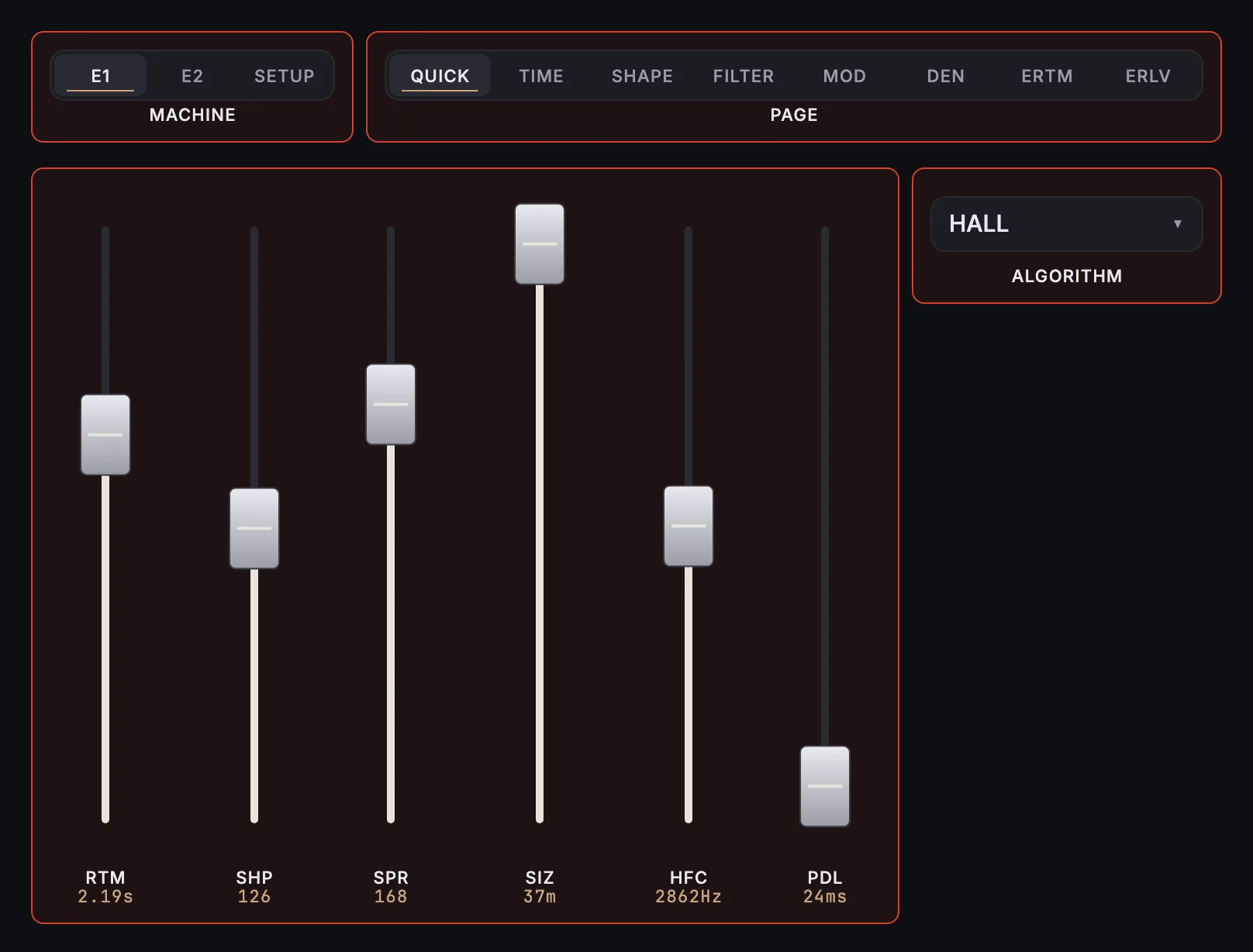
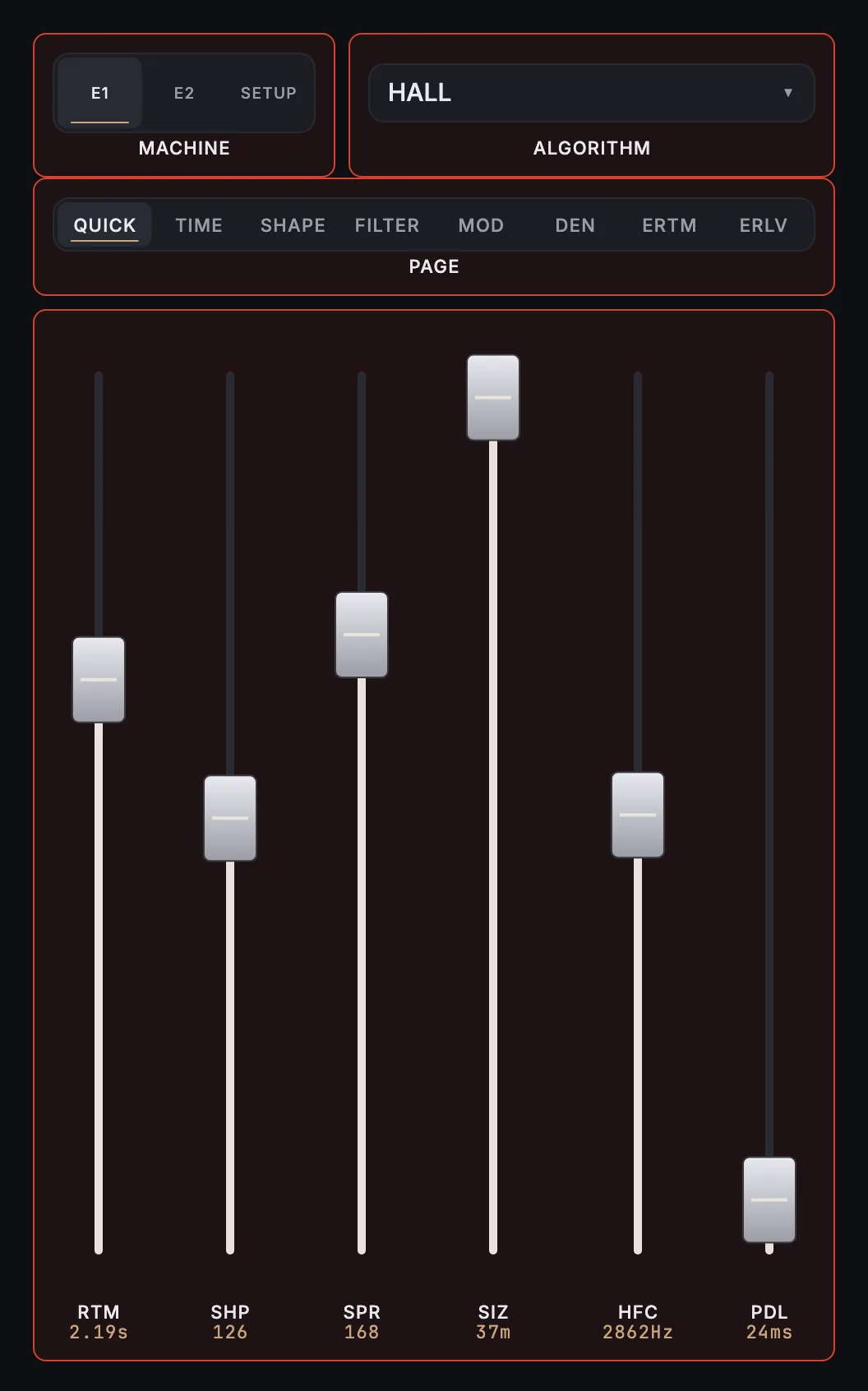
MixSurface opens Relab Development LX480 v4 on iPad, iPhone and Android with a ready-made layout, controlled from REAPER.
What is on it
4 knobs, 78 faders, 10 buttons, 3 menus, 7 switches.
- E1: Algorithm
- E2: Algorithm
- E1: Reverb Time Mid (RTM)
- E1: Shape (SHP)
- E1: Spread (SPR)
- E1: Size (SIZ)
- E1: High Frequency Cutoff (HFC)
- E1: Pre Delay (PDL)
- E1: Bass Multiply (BAS)
- E1: Bass Freq Crossover (BXO)
- E1: High Multiply (HIG)
- E1: High Freq Crossover (HXO)
- E1: Reverb Filter Type (RFT)
- E1: Width (WID)
- E1: Low Frequency Cutoff (LFC)
- E1: Low Shelf (LOS)
- E1: High Shelf (HIS)
- E1: Output Filter Type (OFT)
- E1: Chorus Type (CHT)
- E1: Chorus Rate (CHR)
- E1: Chorus Depth (CHD)
- E1: Diffusion (DIF)
- E1: Decay Opt Channel (DCC)
- E1: Decay Optimization (DCO)
- E1: Reverb Level (LEV)
- E1: Mix (MIX)
- E1: Echo Delay 1 (DL1)
- E1: Echo Delay 2 (DL2)
- E1: Echo Delay 3 (DL3)
- E1: Echo Delay 4 (DL4)
- E1: Echo Delay 5 (DL5)
- E1: Echo Delay 6 (DL6)
- E1: Echo Level 1 (LV1)
- E1: Echo Level 2 (LV2)
- E1: Echo Level 3 (LV3)
- E1: Echo Level 4 (LV4)
- E1: Echo Level 5 (LV5)
- E1: Echo Level 6 (LV6)
- E2: Reverb Time Mid (RTM)
- E2: Shape (SHP)
- E2: Spread (SPR)
- E2: Size (SIZ)
- E2: High Frequency Cutoff (HFC)
- E2: Pre Delay (PDL)
- E2: Bass Multiply (BAS)
- E2: Bass Freq Crossover (BXO)
- E2: High Multiply (HIG)
- E2: High Freq Crossover (HXO)
- E2: Reverb Filter Type (RFT)
- E2: Width (WID)
- E2: Low Frequency Cutoff (LFC)
- E2: Low Shelf (LOS)
- E2: High Shelf (HIS)
- E2: Output Filter Type (OFT)
- E2: Chorus Type (CHT)
- E2: Chorus Rate (CHR)
- E2: Chorus Depth (CHD)
- E2: Diffusion (DIF)
- E2: Decay Opt Channel (DCC)
- E2: Decay Optimization (DCO)
- E2: Reverb Level (LEV)
- E2: Mix (MIX)
- E2: Echo Delay 1 (DL1)
- E2: Echo Delay 2 (DL2)
- E2: Echo Delay 3 (DL3)
- E2: Echo Delay 4 (DL4)
- E2: Echo Delay 5 (DL5)
- E2: Echo Delay 6 (DL6)
- E2: Echo Level 1 (LV1)
- E2: Echo Level 2 (LV2)
- E2: Echo Level 3 (LV3)
- E2: Echo Level 4 (LV4)
- E2: Echo Level 5 (LV5)
- E2: Echo Level 6 (LV6)
- IO Mode
- IO Noise
- Input Gain Left
- Input Gain Right
- Output Gain Left
- Output Gain Right
- Input Link
- Output Link
- Routing Configuration
- 18-bit
- Saturation
- RH Bug
- Modulation Truncation
- Sync Reverb Time
- Sync Pre-Delay
- Sync Twin-Delay
How it works
- Install the free MixSurface extension in REAPER and connect your device (setup).
- Add Relab Development LX480 v4 to a track in REAPER.
- Open the track's FX in Channel Detail: the view appears on its own.
What it needs
Plugin layouts, EQ curves and dynamics curves need the one-time MixSurface unlock. The Mixer and the rest of the free app work without it. See the price.
Questions
Can I control Relab Development LX480 v4 from an iPad in REAPER?
Yes. MixSurface opens Relab Development LX480 v4 on iPad, iPhone and Android with a ready-made layout, controlled from REAPER.
Is it free?
Plugin layouts, EQ curves and dynamics curves need the one-time MixSurface unlock. The Mixer and the rest of the free app work without it.
Related
More from Relab Development
- Relab 176
- Relab Color Drive
- Relab Development LX480 Dual Engine Reverb
- Relab Development Maselec MLA-4 Compressor/Expander
- Relab Development REV6000
- Relab Development Sonsig ACE
Build your own layout
Want a different arrangement? Change this one or build your own layout for any plugin. Not the plugin you were after? Browse the library or request another plugin.