
Pulsar Modular Q Sahara
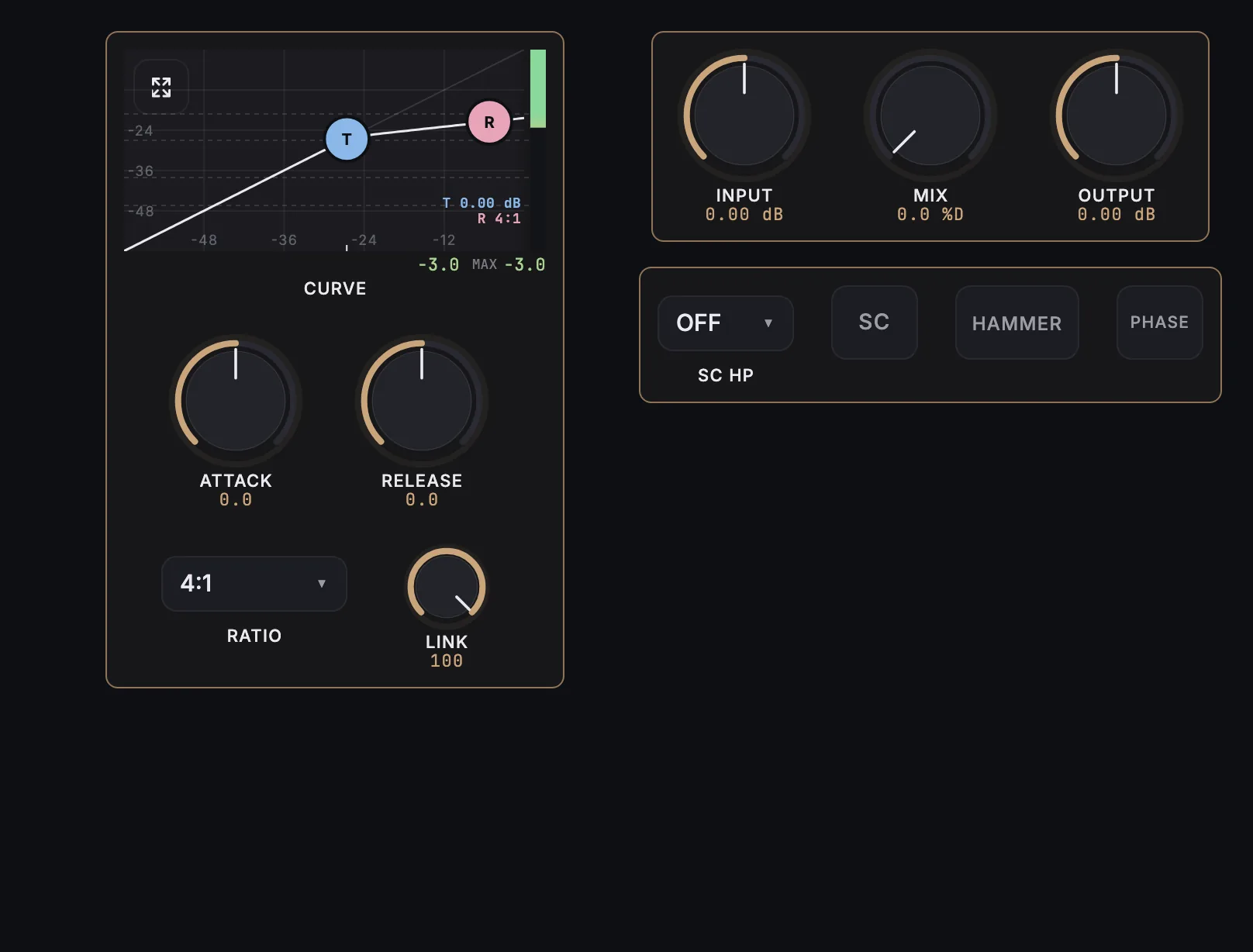
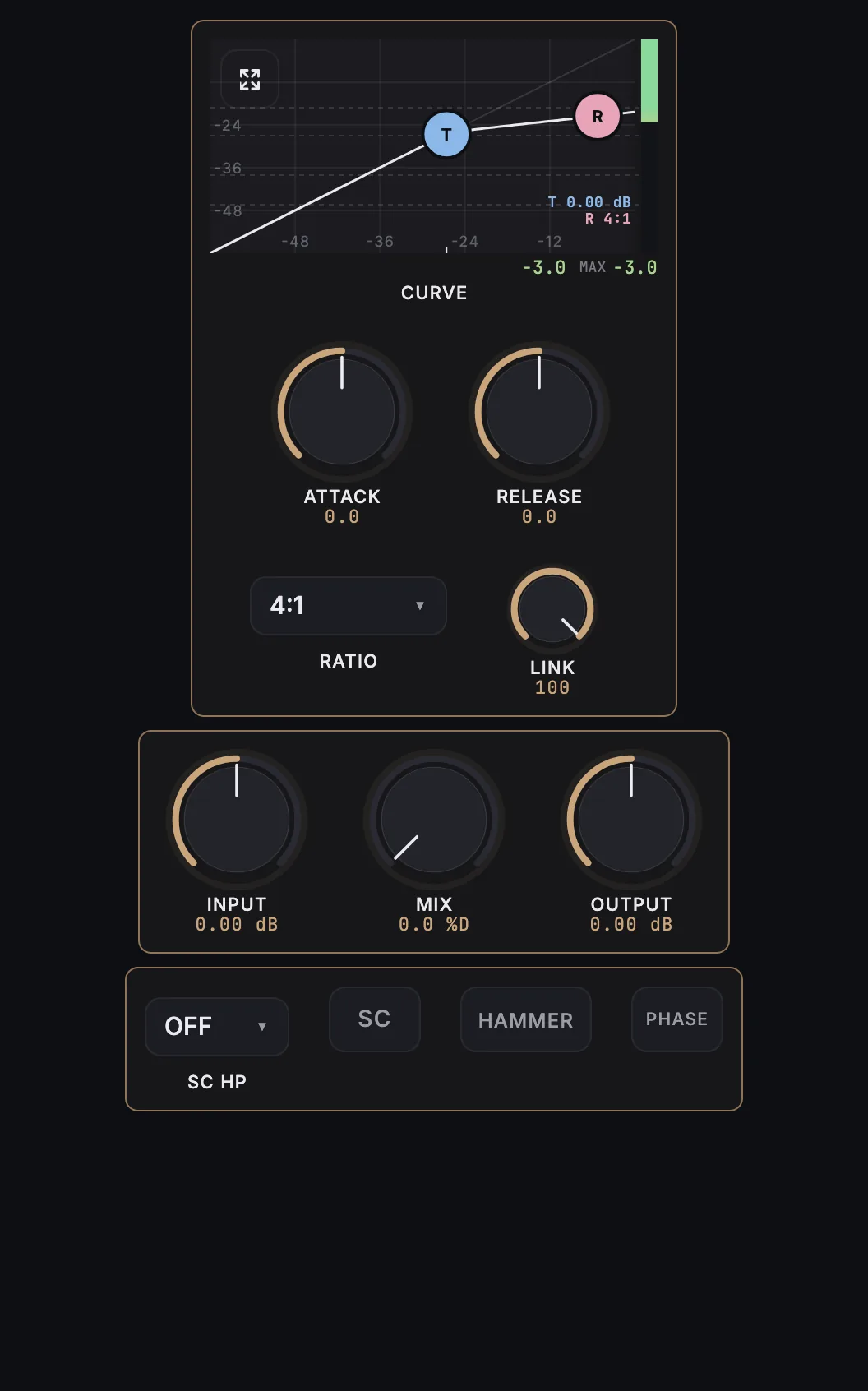
MixSurface opens Pulsar Modular Q Sahara on iPad, iPhone and Android with a ready-made layout and a live compressor curve with gain reduction, controlled from REAPER.
What is on it
6 knobs, 3 buttons, 2 menus, compressor curve.
- Attack
- Release
- Ratio
- Link
- IN
- Mix
- Out
- Sc/HPF
- SC SW
- Hammer SW
- Phase Flip
Compressor curve
A live transfer curve of the compressor, with its gain reduction as audio plays. The transfer curve is measured from the plugin.
How it works
- Install the free MixSurface extension in REAPER and connect your device (setup).
- Add Pulsar Modular Q Sahara to a track in REAPER.
- Open the track's FX in Channel Detail: the view appears on its own.
What it needs
Plugin layouts, EQ curves and dynamics curves need the one-time MixSurface unlock. The Mixer and the rest of the free app work without it. See the price.
Questions
Can I control Pulsar Modular Q Sahara from an iPad in REAPER?
Yes. MixSurface opens Pulsar Modular Q Sahara on iPad, iPhone and Android with a ready-made layout and a live compressor curve with gain reduction, controlled from REAPER.
Does it show gain reduction?
Yes. The compressor curve shows Pulsar Modular Q Sahara's gain reduction live while audio plays.
Is it free?
Plugin layouts, EQ curves and dynamics curves need the one-time MixSurface unlock. The Mixer and the rest of the free app work without it.
Related
More from Pulsar Modular
- Pulsar Modular P11 Abyss
- Pulsar Modular P19 Igloo
- Pulsar Modular P252 MDN Diode
- Pulsar Modular P410 Joyride
- Pulsar Modular P42 Climax
- Pulsar Modular P422 Fairuz
Similar plugins
Build your own layout
Want a different arrangement? Change this one or build your own layout for any plugin. Not the plugin you were after? Browse the library or request another plugin.